How to change the default ending for your form
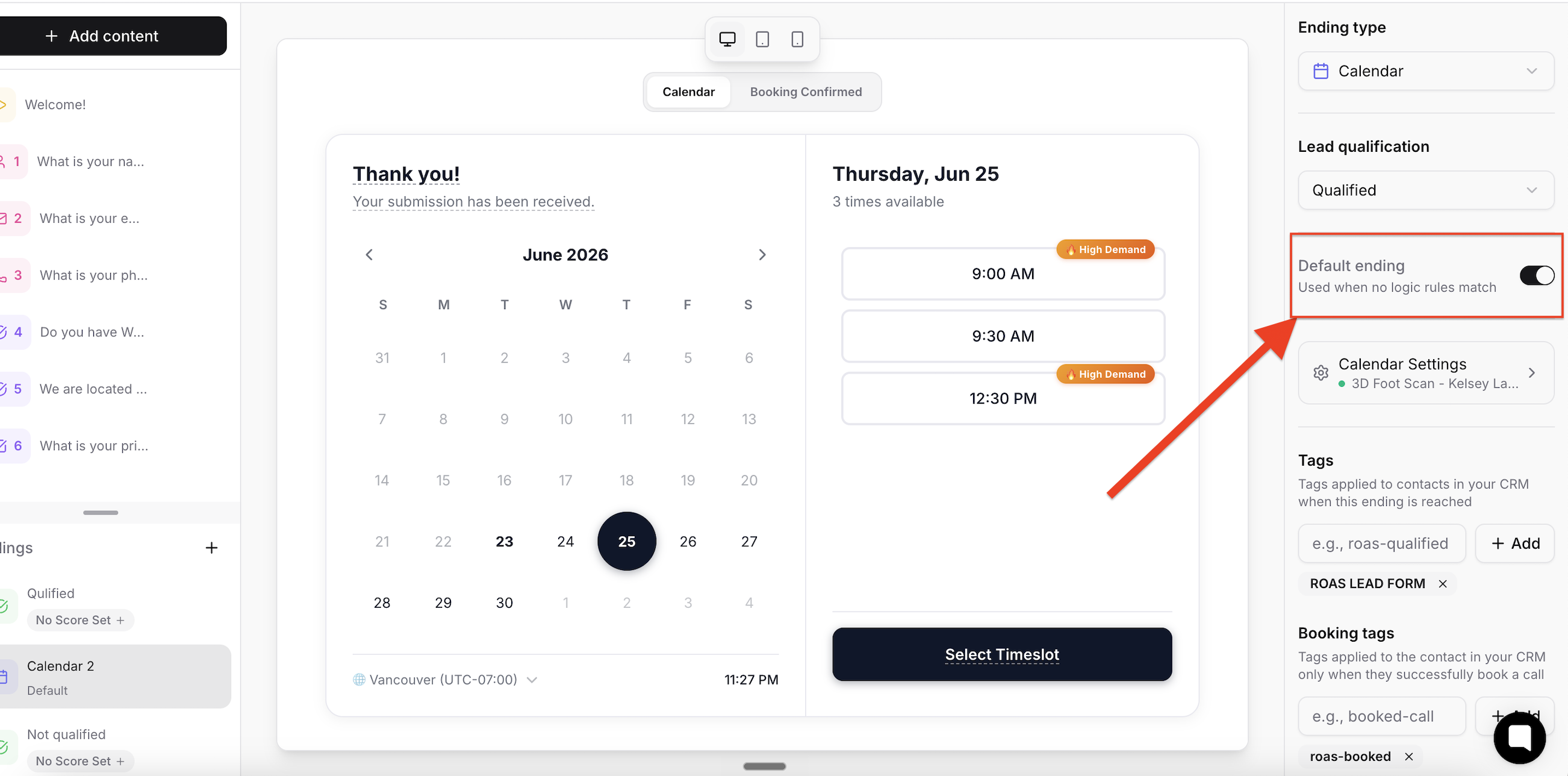
If you've configured an ending path for your form such as a calendar but it's not showing up, and you're still seeing the unwanted default ending, here's how to fix it:
Step-by-Step Instructions
Open your form in the ROASForm editor.
Navigate to the Endings section.
Select the ending you want to use as the default ending.
On the right side panel, turn on the Default ending switch.