


If your submissions are not being saved, the most common reason is that your form hasn’t been published, OR you are testing it using Preview instead of the Live URL.
Step 1) Make sure your form is published
Before anything else, ensure you’ve clicked Publish in the top right corner of the builder.
If your form isn’t published, submissions won’t be properly processed or saved.
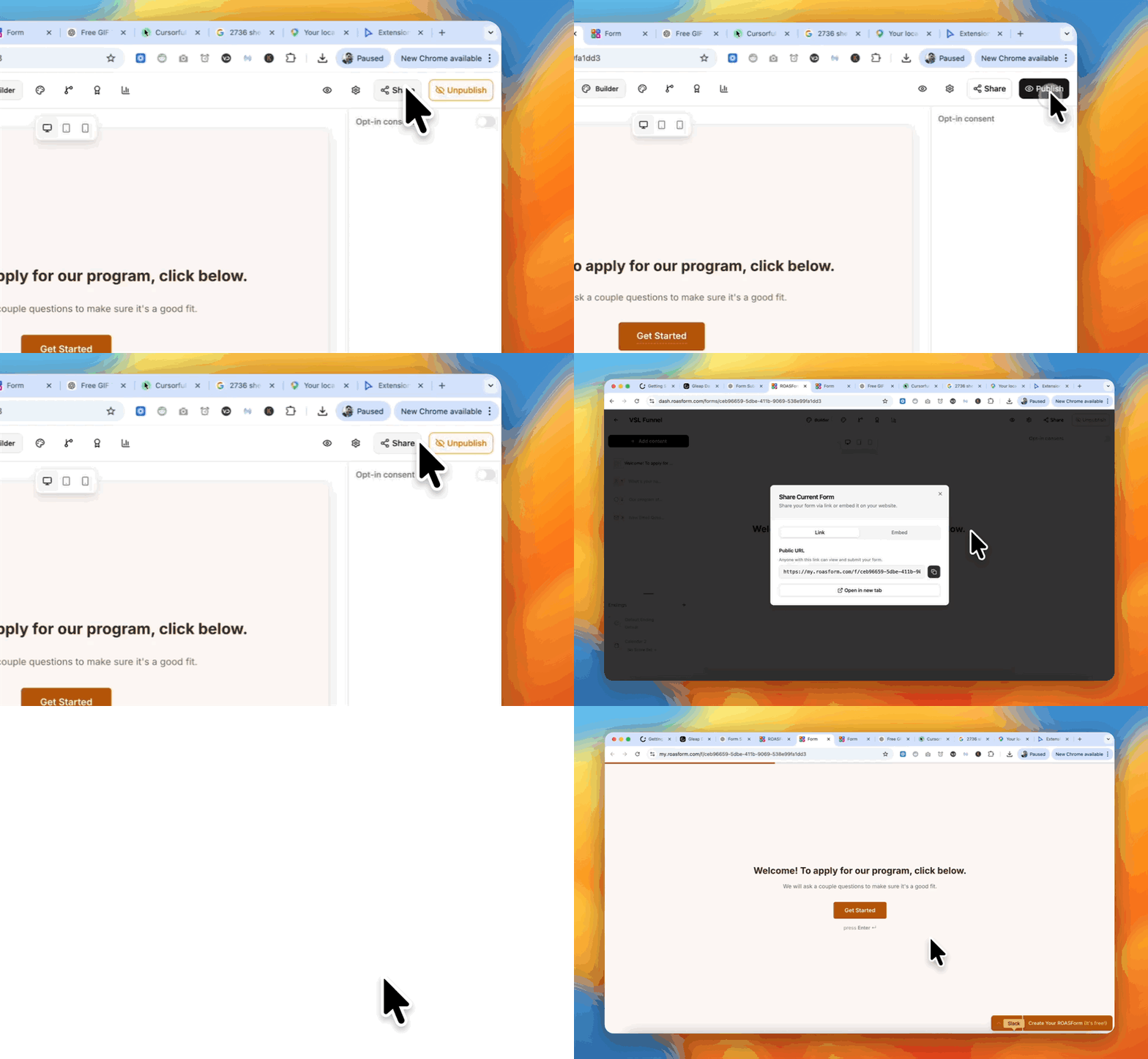
Step 2) Use the live share link (not Preview)
If you test with the Preview icon, nothing you submit is saved, so it never shows up as a lead.
To properly test your form:
Click Share
Copy your form’s live URL
Open that URL in a new tab
Submit the form there
This ensures you’re testing the real user experience and that submissions are captured correctly.