Every time ROASForm talks to one of your connected tools (syncing a contact to GoHighLevel, firing a Meta conversion event, booking a Calendly appointment), we record the full delivery: what we sent, what the provider answered, and whether it worked. Integration Logs let you see all of it, so you never have to guess whether a lead made it into your CRM.
There are three places, depending on what you're checking:
For one form: open the form and click the Integration logs tab in the top bar. You'll only see deliveries for that form.
For your whole subaccount: go to Connect > Integrations and open the Logs tab. This view adds a Form column and a form filter so you can see everything in one place.
For one contact: open the contact's details page. Their logs are matched to that contact, so you can check a specific lead someone asked about.
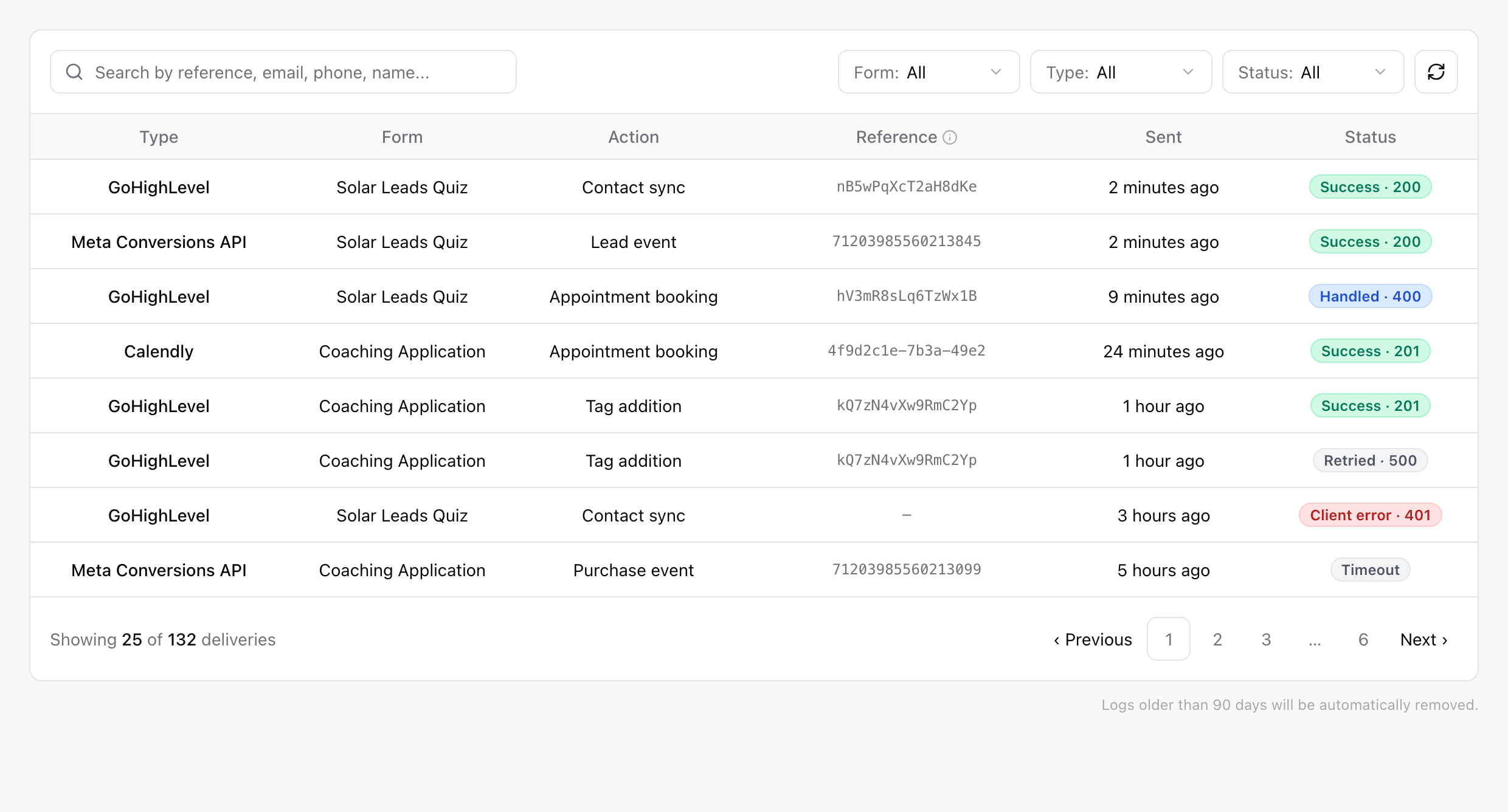
Each row is one delivery attempt:
Type: where it went: GoHighLevel, Meta Conversions API, or Calendly.
Action: what it did: Contact sync, Appointment booking, Tag addition, Purchase event, and so on.
Reference: the provider's own ID for the record touched (the GoHighLevel contact or appointment, the Meta event, the Calendly booking). Use it to find the record on their side.
Sent: when the delivery happened.
Status: how it went (see below).
You can search by reference, email, phone, or name, and filter by form, type, and status.
Success: the provider accepted the delivery. Done.
Client error: the provider rejected the request. This typically means something about the data or your connection needs fixing, for example an expired GoHighLevel connection or a deleted custom field. Open the delivery to see the exact error.
Server error: the provider had a problem on their end. ROASForm retries these automatically.
Timeout: the provider never answered. Also retried automatically.
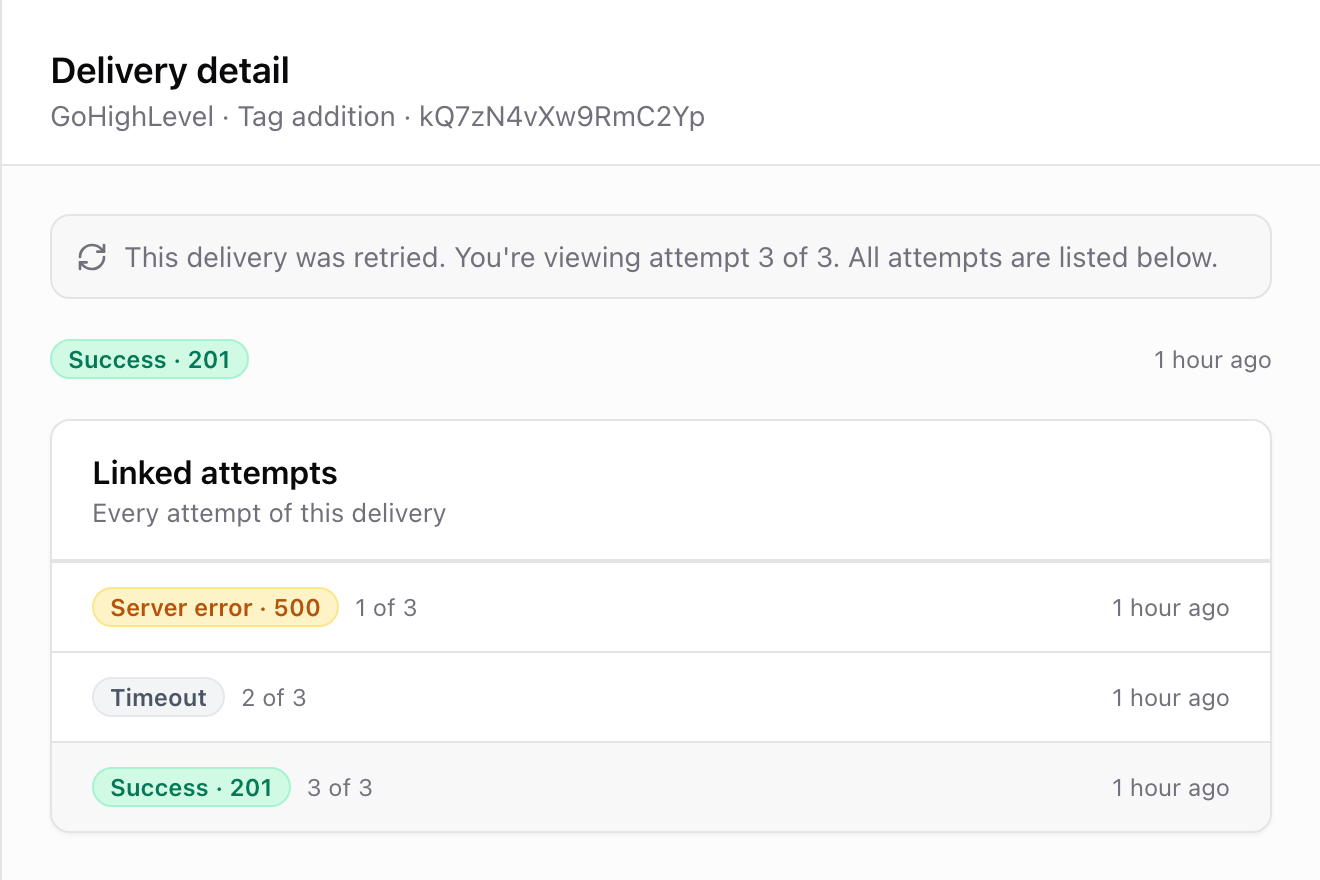
Retried: an older attempt of a delivery that was tried again. Only the newest attempt's status matters; the older ones are kept for reference.
Handled: the delivery failed at the provider, but the form already recovered on its own. The most common case: someone picked a calendar slot that got taken a second earlier. The lead was automatically asked to pick another time, so nothing needs your attention.

Click any row to open the delivery detail. You'll see:
The error message, if there was one, in plain language at the top.
The Request: exactly what ROASForm sent to the provider (access tokens are masked).
The Response: exactly what the provider sent back, including the HTTP status.
Linked attempts: if the delivery was retried, every attempt is listed ("1 of 3", "2 of 3", ...) and you can click between them. Later automatic retries appear as their own rows.
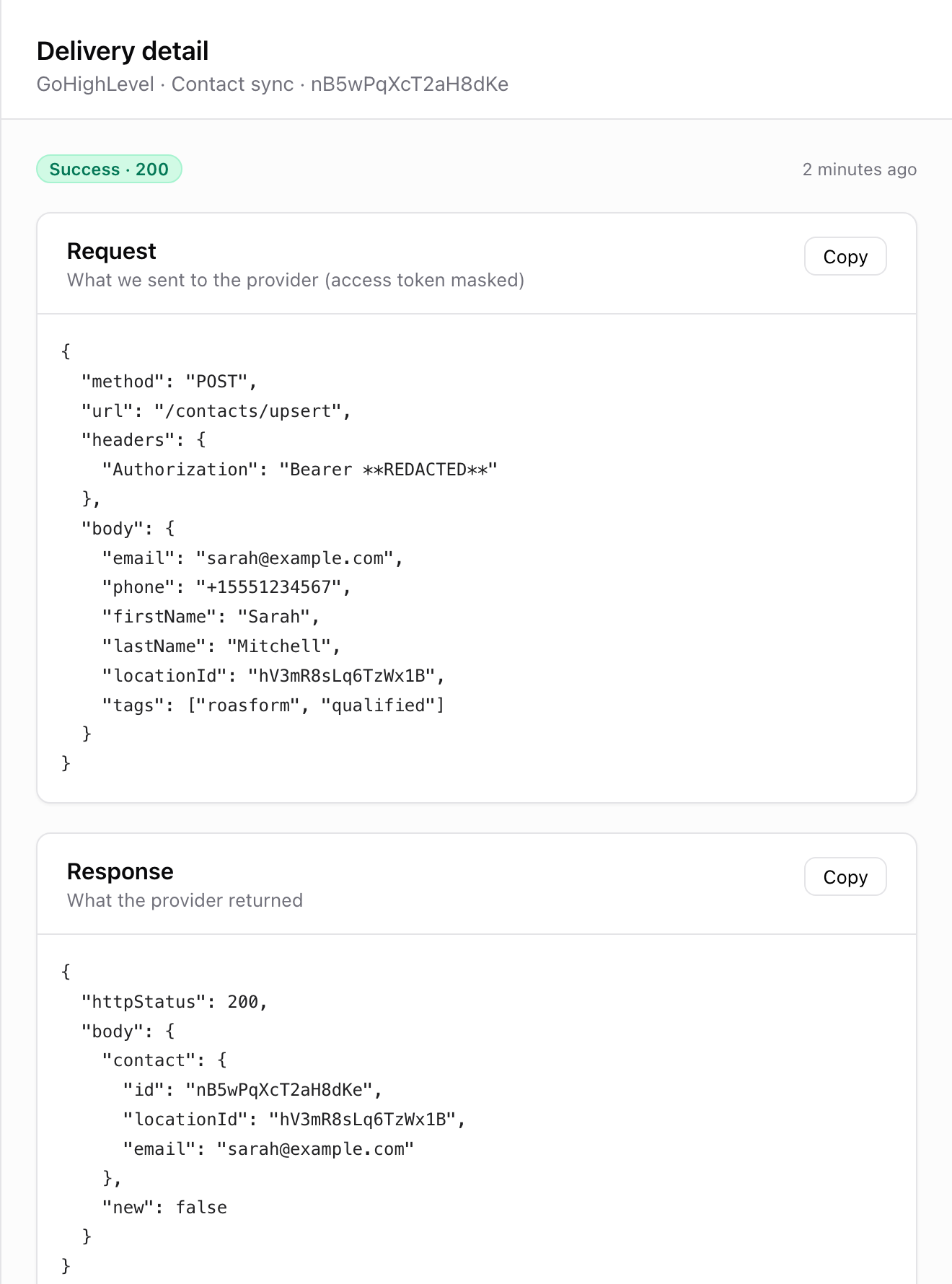
If you contact support about a failed sync, the fastest thing you can do is open the delivery and hit Copy on the Response. That tells us exactly what the provider said.
"The slot you have selected is no longer available" (GoHighLevel or Calendly): not a problem. The lead was re-prompted in the form to pick another time. These show as Handled.
GoHighLevel custom field errors: if contact syncs fail mentioning fields, your custom field mapping may be stale (a field was deleted or recreated in GoHighLevel). Re-map the fields in your form's CRM settings.
Repeated Client errors on every delivery: your integration connection likely expired. Reconnect it under Connect > Integrations.
Logs are kept for 90 days, then removed automatically.

