

It is common to have a "testing phase" where you generate a significant amount of data that you don't want to include in your final analytics. While we are working on a one-click "Reset" button, here are the three best ways to clear out your testing data and start fresh.
Option 1: Clone the Form (Recommended for a Clean Start)
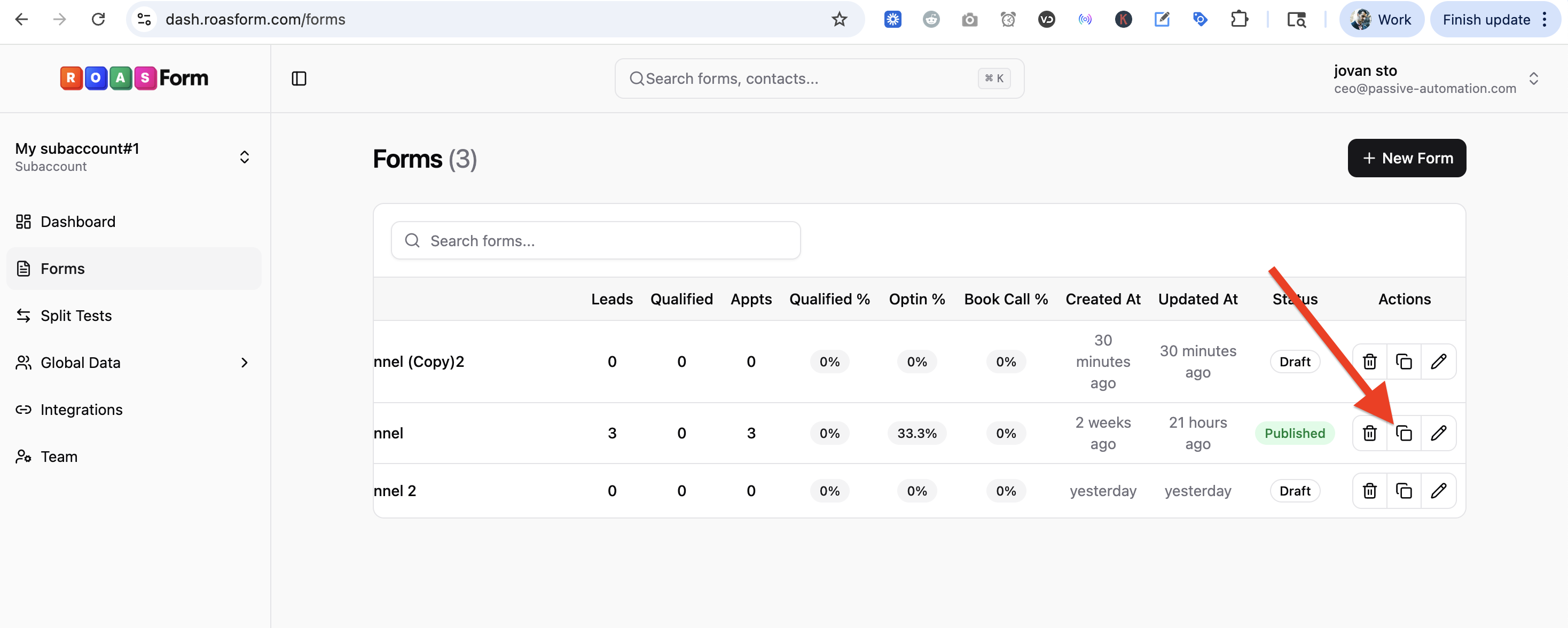
Cloning is the most effective way to get a 100% clean slate, including resetting page views and submission counts.
How to do it: Go to Forms in the sidebar and click the Clone icon on your form's row.
What happens: All logic, design, endings, and form settings are copied to a new form with zero entries.

Option 2: Use Date Filters
If you have already shared your link and cannot change the URL, using date filters is the next best way to "ignore" your testing data.
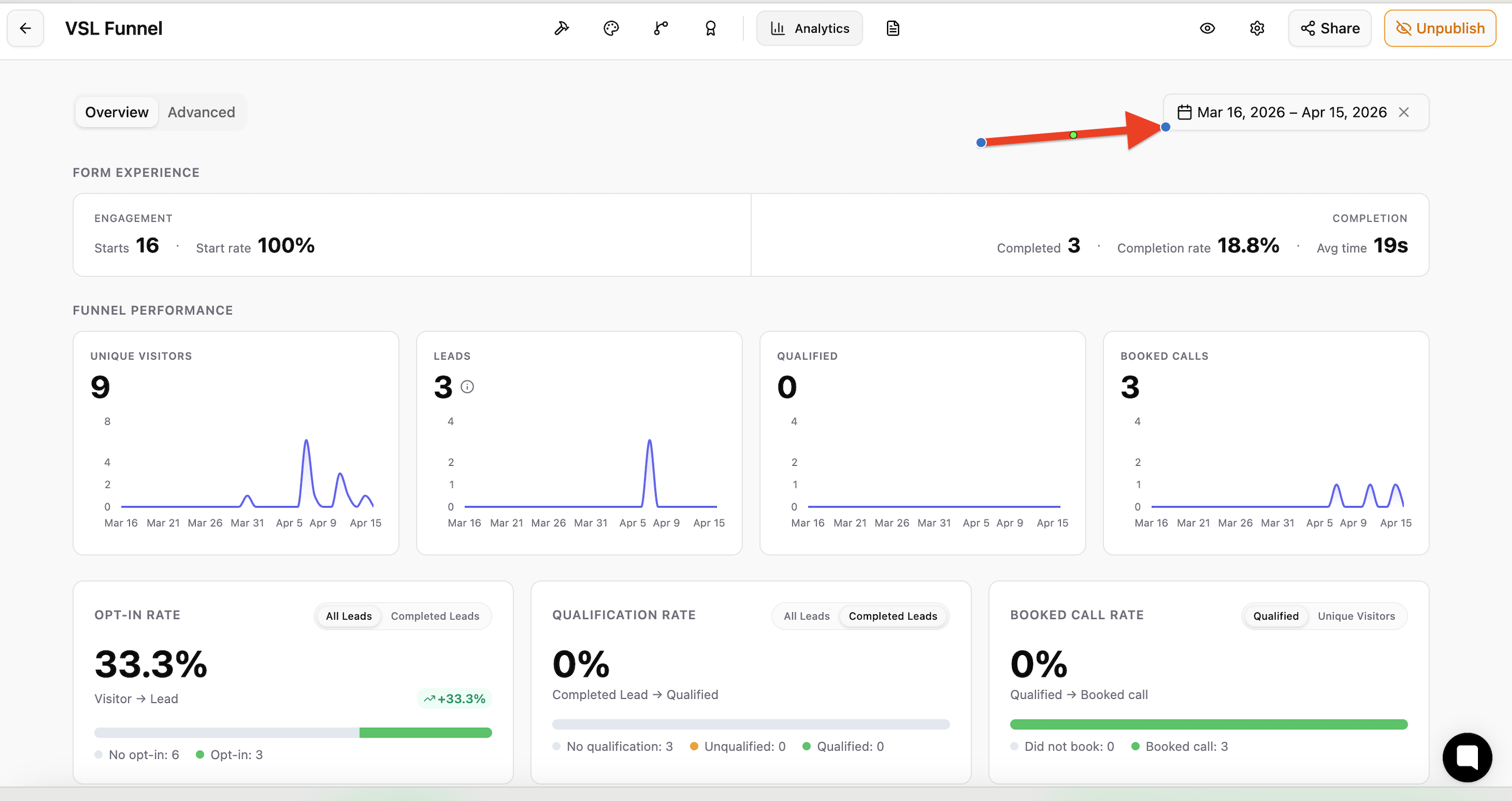
How to do it:
1. Note your official launch date.
2. In your Analytics tab, use the Date Filter to set the "Start Date" to your official launch.
What happens: The dashboard will only show data collected from that moment forward, effectively hiding your test submissions from your reports.
Option 3: Manual Deletion
You can delete test entries one at a time or in bulk.
How to do it: Go to Global Data, then Submissions (or open the form's Submissions tab), tick the test entries, and click Delete.
Limitations: While this removes the submission data, it will not reset your total Page View count, and it does not give back Free plan submissions you already used.
💡 Which should I choose?
We recommend Option 1 as the most reliable way.