

Billing belongs to the agency, so it lives in the Agency View: click the workspace name at the top of the sidebar, choose Agency View, then Billing. Only the account that created the agency (the Super Admin) can see it. The page has three parts: Products, Cards, and Invoices.
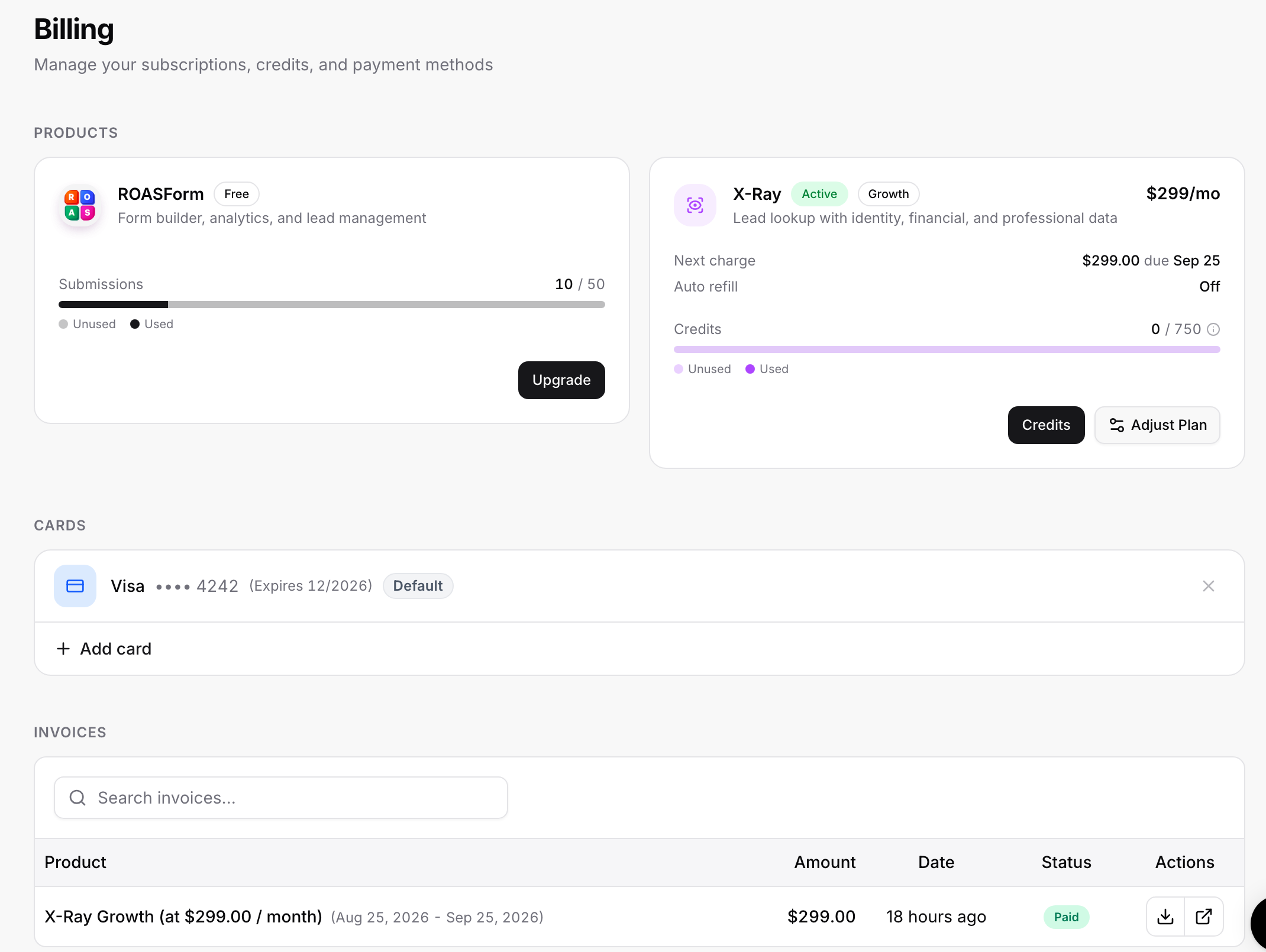
Your plan at a glance
The ROASForm product card shows your current plan (Free, Solo, or Agency), and on the Free plan a submissions bar (used against the 50 included). What each plan includes and costs is on the pricing page; the short version:
Free: 50 completed submissions, 1 subaccount, ROASForm badge on forms, no team invites.
Solo: unlimited submissions, 1 subaccount, badge removal, team invites.
Agency: everything in Solo plus unlimited subaccounts.
Partial submissions never count toward the 50; only completed ones do.
Upgrading
Click Upgrade on the ROASForm card (or Unlock unlimited in the sidebar). Pick Solo or Agency and monthly or annual billing (annual saves up to 50% compared to monthly), add a card, and start the 10-day free trial. Nothing is charged today; cancel before day 10 and you pay nothing. You get full access to every feature immediately, and we send a reminder email on day 7 before the first charge.
Changing an active plan
With a subscription running, the card shows Change Plan:
Upgrade to Agency or Downgrade to Solo. Downgrading to Solo keeps one subaccount with unlimited submissions; if you have several, the confirmation lists the subaccounts that will be deleted, forms, leads, and submissions included, so export anything you need first.
Switch to Annual or Switch to Monthly at any time; the change applies to your next billing cycle.
Canceling
Click Cancel subscription on the card. You are asked why you are cancelling (we read every answer), then offered 50% off for 3 months to stay. Choose No thanks, cancel and downgrade to Free to go ahead. Your plan stays active until the end of the current billing period, the card shows "Cancels soon", and you can Resume any time before then. After that you are on the Free plan: the badge returns, team invites stop, and extra subaccounts become read-only until you resubscribe. Your forms and data are not deleted.
Cards
Add card to store another payment method, set one as Default, and remove the others with the x. You cannot remove your only card while a subscription is active. We also prompt you to add a backup card: if the primary card fails, forms keep working because the backup is charged instead. Without one, a failed payment eventually pauses your forms, which is an expensive way to find out a card expired.
Invoices
Every charge appears under Invoices with the product, amount, date, and status. Search by product or amount, download a PDF, or open the invoice in Stripe.
Good to know
Billing runs through Stripe; card details never touch ROASForm's servers.
Changing plans keeps everything: forms, integrations, mappings, and leads stay exactly as they were.
Need a plan change mid-cycle or a refund question? Message support from the chat bubble with your agency name.