

Calendar endings show booking times like 2:30 PM by default. If your leads are used to a 24-hour clock, you can show 14:30 instead, or let each visitor's browser decide. Each calendar ending has its own setting, so two calendars in the same form can use different formats. New to endings? See Endings Explained: Thank-You, Redirect, and Calendar.
How to change it
Open your form in the form builder.
In the Endings section at the bottom left, click your Calendar ending. Its settings appear in the right-side panel.
Click Calendar Settings.
Under Time format, right below Calendar, pick one of the three options.
Click Save.
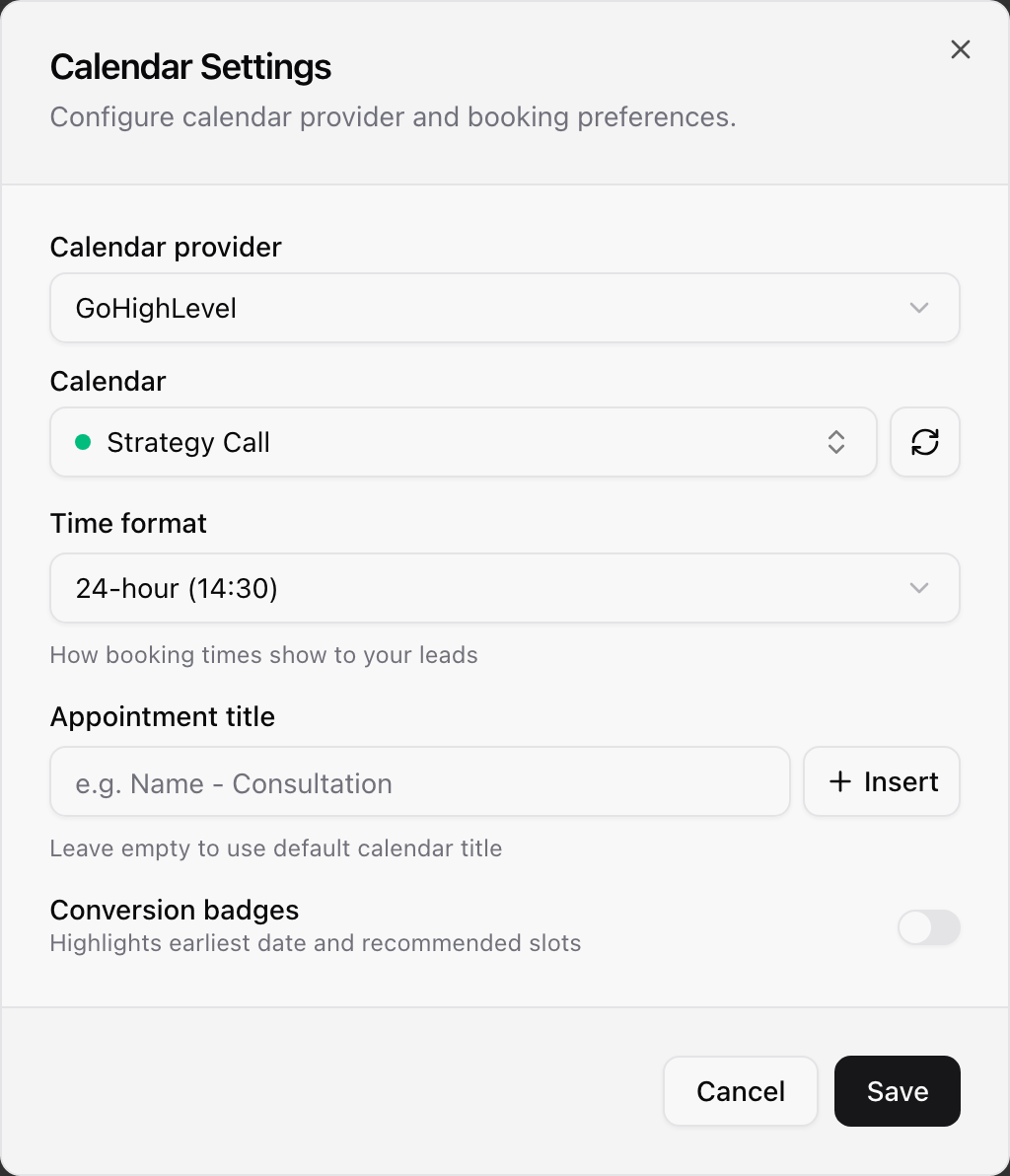
12-hour (2:30 PM): the default. Every calendar ending starts here, so your existing forms don't change until you pick something else.
24-hour (14:30): times run from 00:00 to 23:59 with no AM or PM. Half past midnight shows as 00:30.
Auto (visitor's browser language): each visitor sees the clock that is usual for their browser's language. More on this below.
The builder preview updates as soon as you click Save. When you create a new Calendar ending, the same window opens, so you can pick the format right away.
Where your leads see it
The calendar: the time slots, and the current time next to the timezone picker.
The booking confirmed screen: the date and time card a lead sees after booking.
The Reschedule and Cancel pages: the meeting time at the top, and the message after a lead moves their meeting.
It works the same on every form skin, on phones and on desktop, for both GoHighLevel and Calendly calendars.
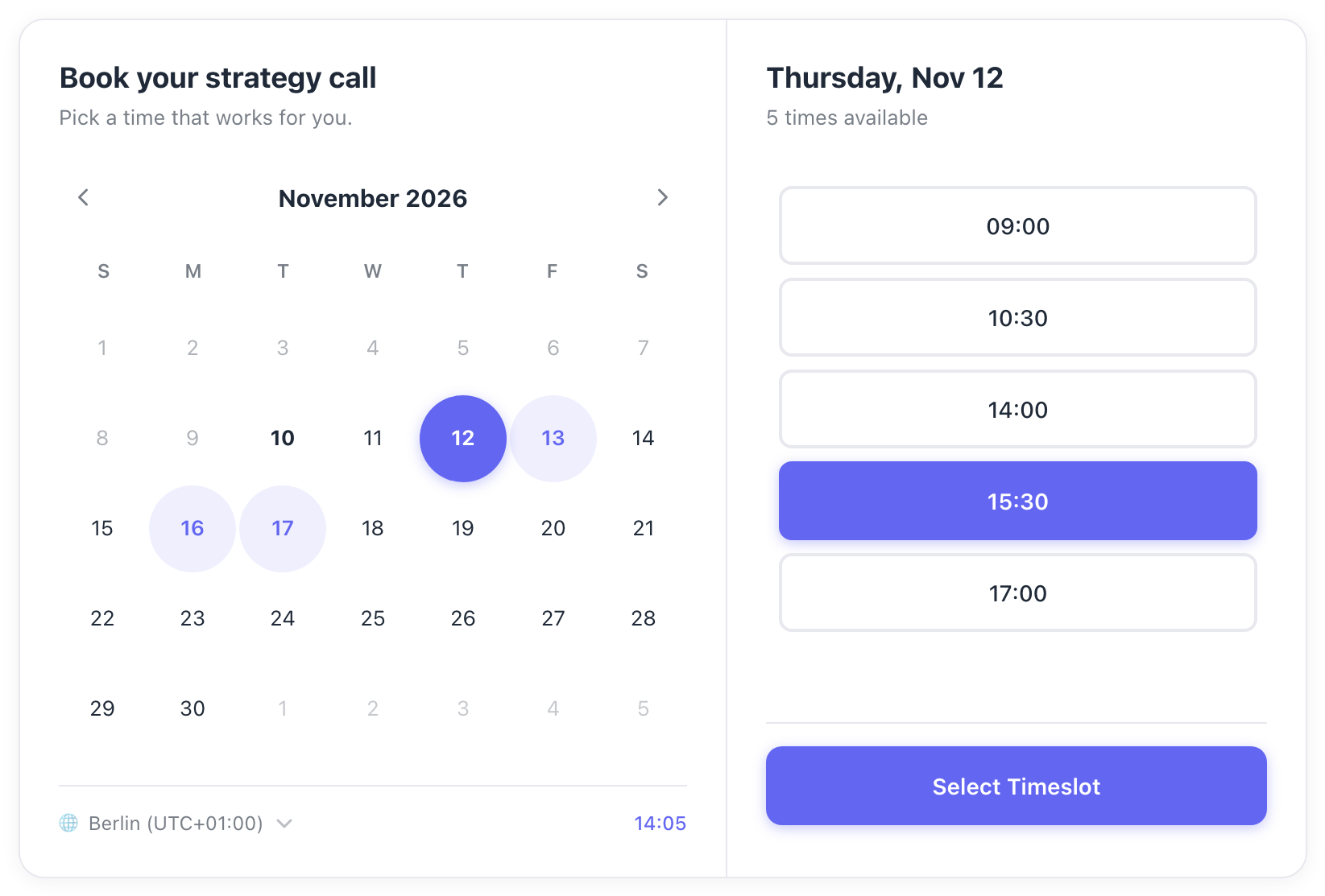
How Auto decides
Browsers don't tell websites whether a phone or computer is set to a 12-hour or 24-hour clock. Auto follows the visitor's browser language instead. A browser set to US English shows 2:30 PM, while UK English, German and French show 14:30.
Tip: In the builder, Auto previews with your own browser's language, so some of your leads may see the other format.
Good to know
Times follow the visitor's timezone: the calendar shows times in the lead's own timezone, and they can change it with the timezone picker. The time format stays the same when they do.
Emails and calendar invites: confirmation emails and calendar invites come from GoHighLevel, Calendly or the lead's own calendar app, which use their own time settings.