X-Ray has one plan, and it is paid for in two parts. Telling them apart explains almost every billing question.
The monthly fee keeps your X-Ray subscription active. It is a fee, not credit: none of it goes into your wallet.
Your wallet holds prepaid money. Each lead that comes back with a result is charged to it.
The price of each is shown on your plan screen. See Pricing.
You are charged only when a result comes back.
You are charged when:
X-Ray Finance returns a result for a lead (a credit score, a pre-qualification or available credit).
The optional Debt to income and income add-on is on for that form and its data comes back. It is charged on top of the check, and only when it comes back.
You are not charged when:
The lead comes back with no match or an empty result.
The check fails, either on our side or at our credit data partner.
The check is skipped: for example the lead did not get the privacy notice, opted out, has no US phone number, is missing a name, email or phone, your wallet is empty, or your subscription is not active.
The lead already has a completed check from the last 14 days. It is not checked again.
To see why a particular lead was not checked, read Why an X-Ray Lookup Did Not Run.
Before a check starts, your wallet must cover the check, plus the add-on if it is on. If it falls short, we try one auto-recharge first. If it is still short, the lead is skipped with "X-Ray Finance skipped: not enough funds in your X-Ray wallet." A skipped lead is not checked automatically later. Once the wallet is topped up, the lead's next submission can be checked. See Can I Run X-Ray on a Lead by Hand?.
Click your name in the top right corner, then Billing. The X-Ray card sits under Products. Only the agency owner (the Super Admin) can see Billing and manage X-Ray billing.
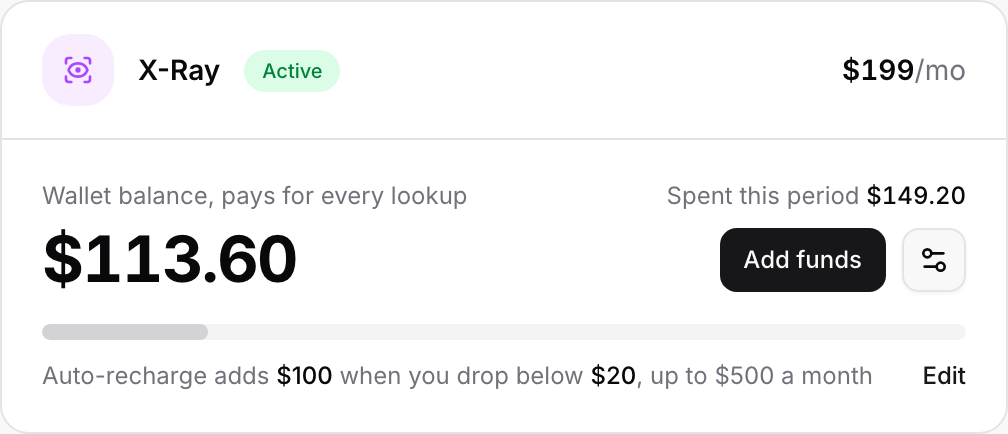
The card shows:
A status badge: Active, Low balance, Cancels soon, Payment failed or Canceled.
Your Wallet balance ("pays for every lookup") and what you Spent this period.
Add funds.
The Adjust plan icon, which opens the plan screen.
Your auto-recharge rule in one sentence, with Edit or Turn on.
If your wallet runs low or empty, a note appears under the card. For example:
"Your wallet balance is empty, so new leads are being skipped. Add funds or turn on auto-recharge to start again."
Click Add funds on the X-Ray card.
Pick a preset amount ($25, $50, $100 or $250) or click Another amount and type your own.
Click the button that shows your amount, for example Add $50.00.
One top-up is between $10 and $1,000.
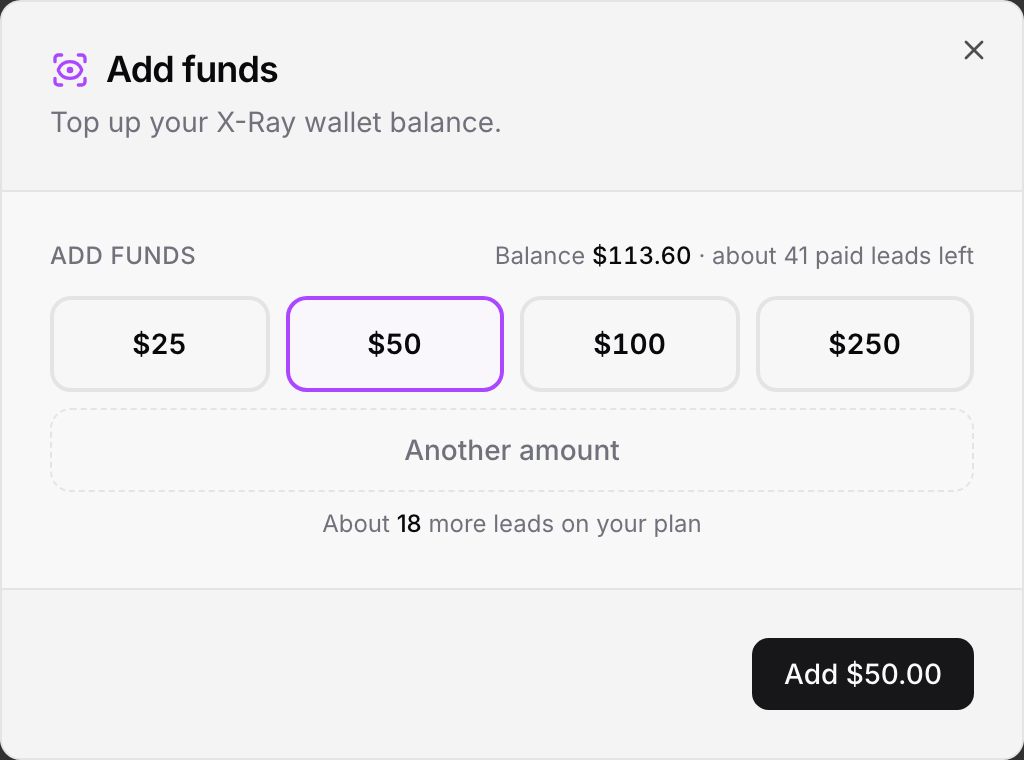
Your default card is charged straight away and the funds land in the wallet. The charge appears in your invoices. Add funds is switched off until you have a card on file: "A payment method is required before adding funds."
Your funds do not expire.
Auto-recharge tops your wallet up on its own, so checks never stop. It is switched on when you subscribe, with the amounts you chose on the plan screen. The starting amounts are:
When balance drops below: $20
Add this much: $100
Most we can charge in a month: $500
To change it, click Edit (or Turn on) next to the auto-recharge line on the X-Ray card, change the amounts, and click Save settings.
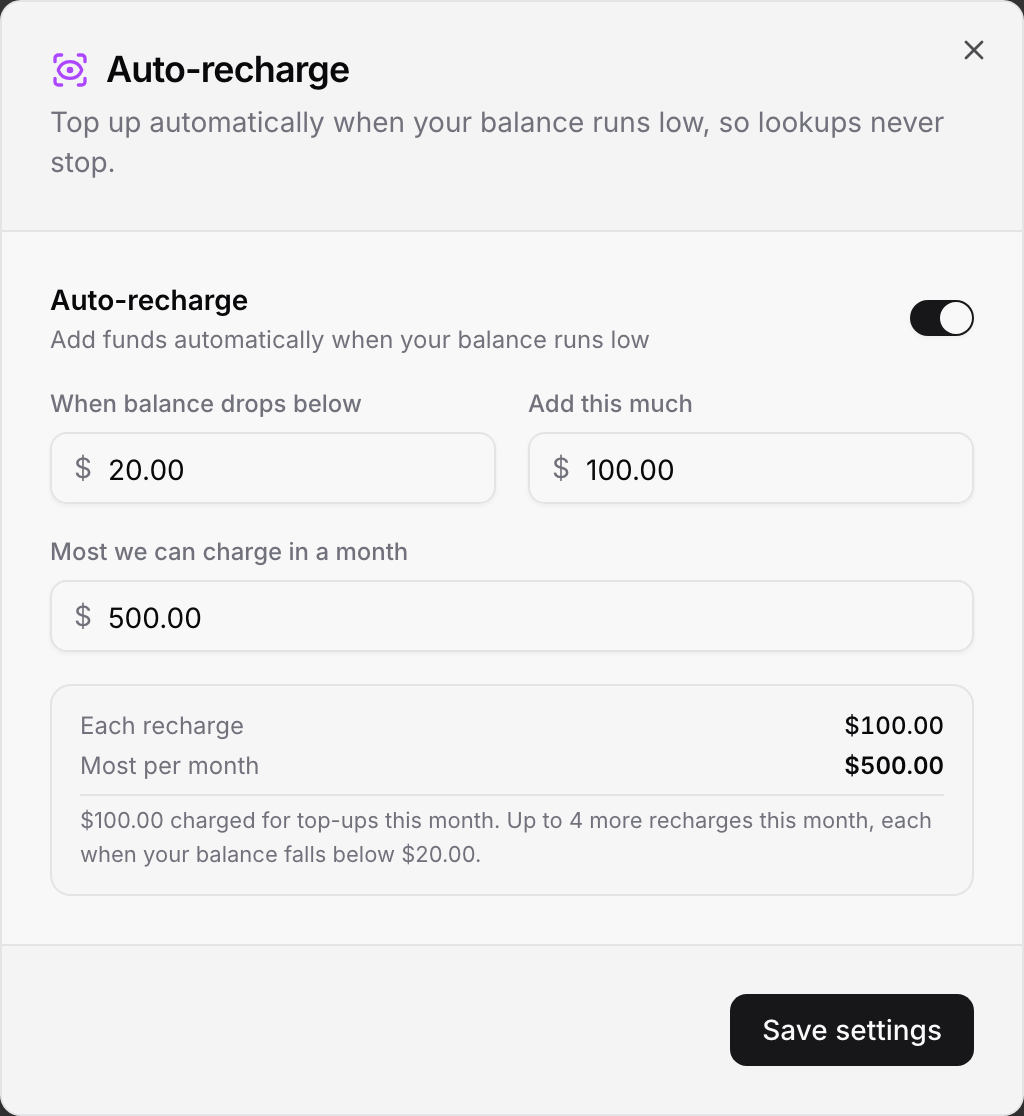
The limits are:
When balance drops below: $5 to $1,000
Add this much: $10 to $1,000
Most we can charge in a month: $10 to $10,000, and never less than one recharge
The window shows how many more recharges fit in this month. Things to know:
The monthly cap is a calendar month. It resets on the 1st. The first top-up you make when you subscribe counts toward it.
A recharge that would go over the cap is skipped completely. It is never reduced to fit. Once the cap is used up, nothing more is charged until next month, and the card shows "cap reached".
Turning it off asks first. With auto-recharge off, an empty wallet stops X-Ray on new leads until you add funds yourself.
Turning it on while you are already below the trigger recharges right away.
Two failed attempts in a row pause it. If the card is declined twice, auto-recharge switches itself off and we email the agency owner. Update your card and turn it back on.
Cancelling stops X-Ray at the end of the billing period, not immediately. You keep running checks until then.
Click the Adjust plan icon on the X-Ray card.
Click Cancel subscription.
Optionally tell us why, then click Cancel subscription again. Click Keep my plan to back out.
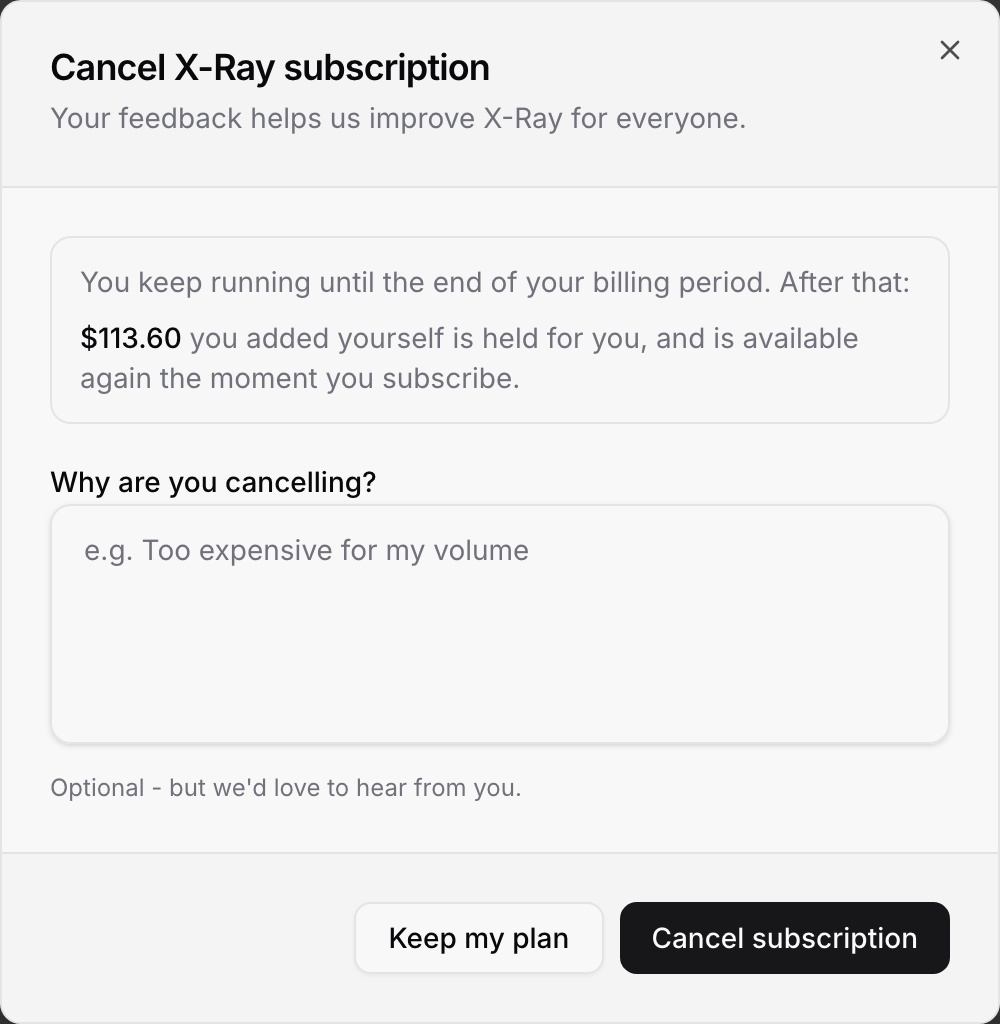
After the period ends, checks are paused. Funds you added yourself are held for you and are available again as soon as you subscribe. While the subscription is not active you cannot add funds.
Cancelling X-Ray does not cancel your ROASForm plan. See Changing or Canceling Your Plan.
Until the period ends, a banner on Billing reads "X-Ray subscription cancelled", with a Resume X-Ray button. You can also open Adjust plan and click Changed your mind? Resume subscription. Resuming lifts the cancellation and nothing else changes.
After a cancellation has taken effect, subscribe again from the X-Ray page. You choose your auto top-up amounts again, the first top-up is charged, and the funds you kept are still there.
If the monthly fee cannot be charged, the badge changes to Payment failed and you see a note:
"A payment failed. X-Ray keeps running on your remaining balance until the date shown, then stops until it's paid. Update your card under Cards, then pay the open invoice under Invoices."
X-Ray keeps running on your wallet balance for a grace period of 14 days from the first failed payment.
After that, checks stop until the open invoice is paid. Leads in that time are skipped.
Your wallet funds stay on your account.
You cannot subscribe again while that subscription is open. Paying the invoice is the way back.
A new card on its own does not pay the invoice. Add the card under Cards, then pay the open invoice under Invoices.
On the X-Ray pages and in the form builder, everyone sees "Your X-Ray subscription needs attention." The agency owner gets a link to Billing. Everyone else is told to ask the agency owner to update the payment method.
The monthly fee is not credit. None of it goes into your wallet. Top-ups and auto-recharges fill it.
No match, no charge. See "When you are charged" near the top of this article.
Every movement is listed. Open X-Ray > History > Wallet Activity for top-ups, auto-recharges and charges, with the balance after each. See X-Ray History.
One wallet for the agency. Every subaccount's checks are charged to the same wallet.

