
If you already have a form somewhere else, you don't have to retype it. Paste its URL and ROASForm reads the questions and endings and builds a working draft for you. It takes a few seconds and gets you most of the way there.
Import works with GoHighLevel and Typeform.
Import a form
On the forms list, click + New Form.
Choose Import from URL.
Paste the public URL of the form and import it.
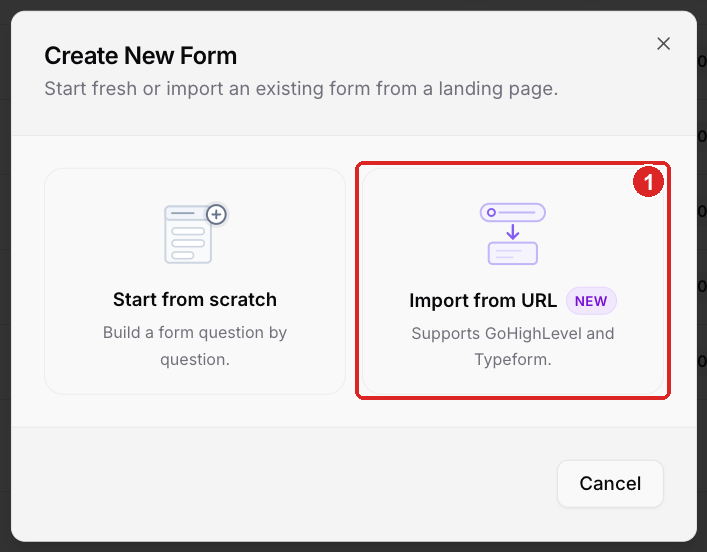
Import from URL — GoHighLevel and Typeform
ROASForm creates the questions and the endings, including a separate ending where the source form had one — a disqualified path, for example, comes across as its own ending rather than being folded into the main one.
Before you publish
The import gets you a draft, not a finished form. Two things don't survive cleanly, because the source tool and ROASForm don't store them the same way:
Conditional logic. Re-check your rules in the Logic tab. See Conditional Logic and Lead Scoring.
The calendar connection. Connect GoHighLevel or Calendly on this subaccount, then open the calendar ending and pick the calendar again.
Read any warnings the importer shows you — they point at exactly what it couldn't carry over.
While you're there, it's worth setting up the pieces that are ROASForm-specific rather than imported: your field mapping, your tags, and your skin.
Troubleshooting
The URL won't import. It has to be the public, live form URL — not an editor or dashboard link, and not a page the form is embedded in. Open it in a private window first: if you can see the form there, we can read it.
Some questions came across as the wrong type. Change the type in the builder. The importer maps to the closest ROASForm question type, and a few things (ranking, opinion scales, image choice) don't have an exact match in every source tool.
You're importing from a tool that isn't on the list. Build it in ROASForm directly — with endings and logic it's usually a 15-minute job. Our form elements are covered in Question Types Overview.