X-Ray Finance is instant credit qualification for your leads. It runs while the person fills in your form, using the name, email and phone number they give you. The check is a soft pull, so it never affects their credit.
You then decide what to do with the result: send strong leads to a calendar, score them, tag them, or push the data into your CRM.
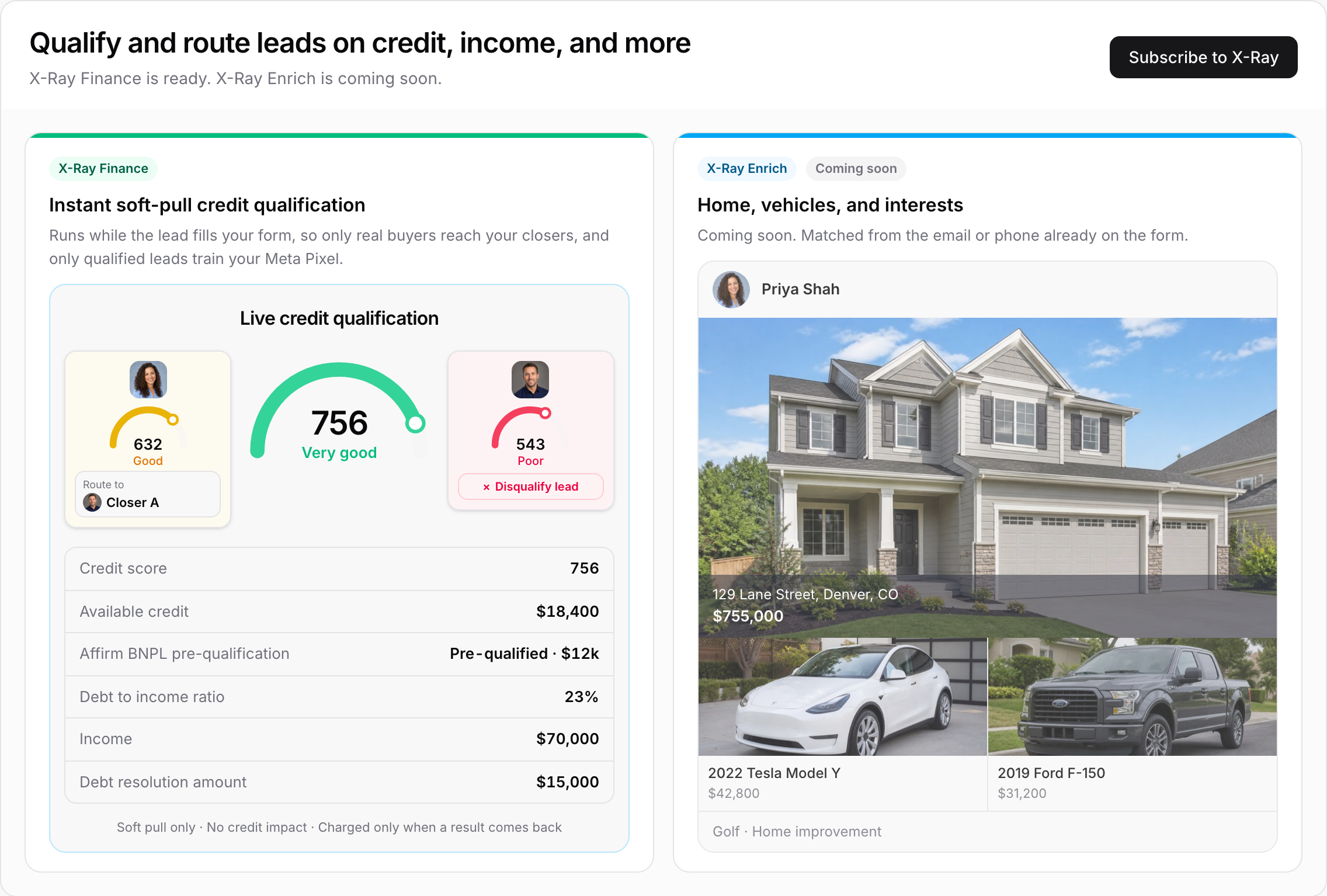
Every check can return:
Credit score
Available credit
Affirm BNPL pre-qualification
There is also an optional extra you switch on per form:
Debt to income ratio
Income
Debt resolution amount
The extra is charged on top of the check, and only when its data comes back. See X-Ray Plans, Wallet, and Top-Ups.
A visitor fills in your form. The form shows a "Privacy Notice · Your Privacy Choices" footer, and submitting the form with that notice shown is their consent.
X-Ray Finance checks them with their name, email and phone number. The phone number has to be a US number, and the name has to include a first and last name.
The result lands on the contact. It can also be sent to your CRM, used in your form's Logic, and counted in your lead score.
The check normally runs when the form is submitted (the Lead Captured trigger). If your Logic uses an X-Ray result, the check runs earlier, at that step in the form, so the lead can be sent to the right next step straight away. See Routing Leads with X-Ray Finance in Logic.
You are charged only when a result comes back. No match means no charge.
Route leads. Send a lead with a high score to a calendar step and everyone else somewhere else: Routing Leads with X-Ray Finance in Logic.
Score leads. Add credit score tiers to your lead score: Using X-Ray Finance in Lead Scoring.
See it on the contact. Open any contact and look at the X-Ray Data tab: Reading X-Ray Results on a Contact.
Send it to your CRM. Map the results to GoHighLevel fields and tags: Sending X-Ray Data to GoHighLevel.
Open X-Ray in the sidebar. Until you subscribe, it is a single button that opens the subscribe screen. After you subscribe, it has these pages:
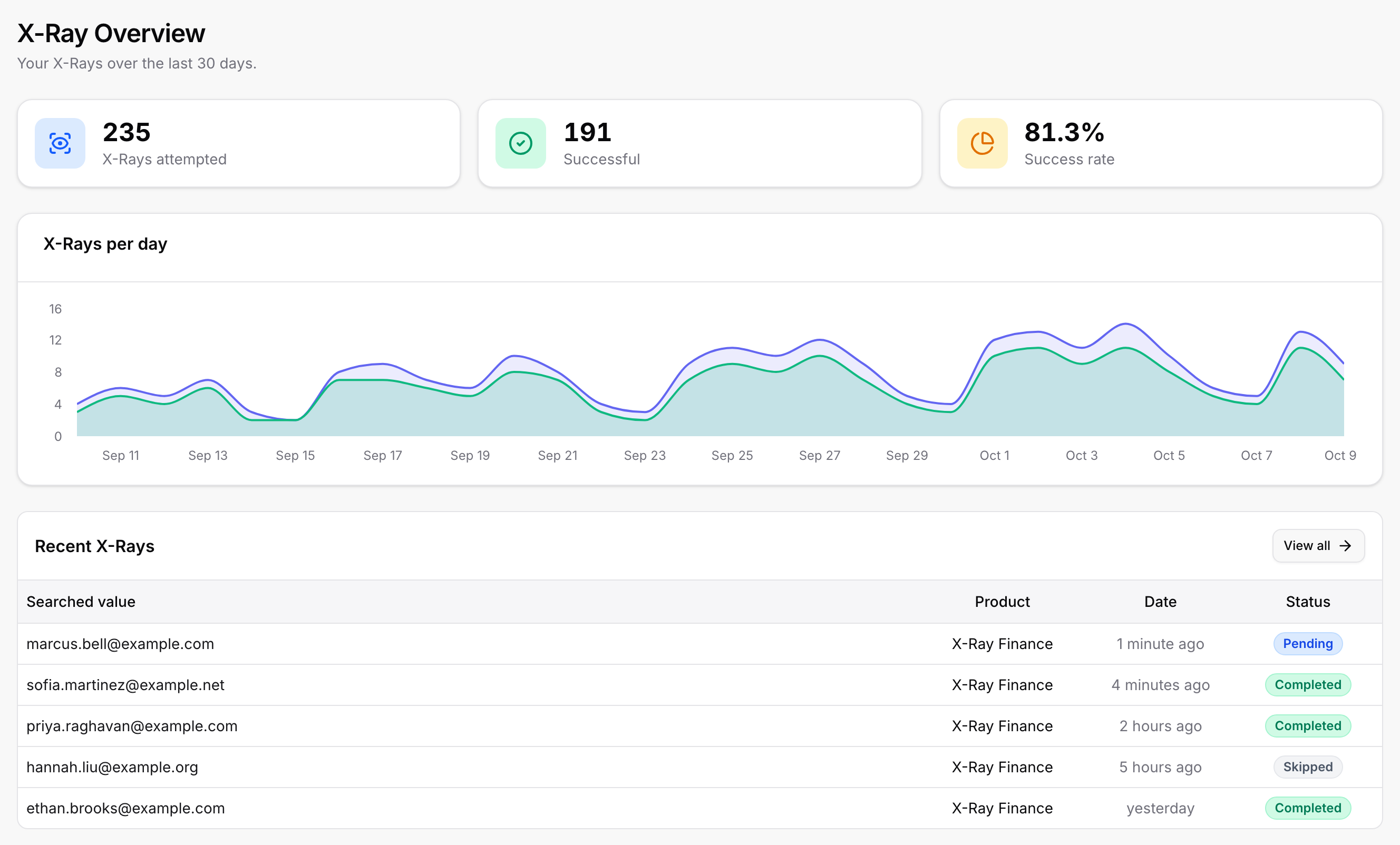
Overview: how many X-Rays were attempted and successful over the last 30 days, the success rate, an "X-Rays per day" chart and your recent X-Rays.
Rules: which forms X-Ray runs on. See Auto-Lookup Rules.
History: Lookup History (every check and its status) and Wallet Activity (every movement in and out of your wallet). See X-Ray History.
Settings: your business details, CRM, field mapping and tags. This page only appears inside a subaccount, not in the agency view.
You can also turn X-Ray Finance on for a single form from the X-Ray button in the form builder. See Turning X-Ray On.
The subscribe screen also shows X-Ray Enrich, which will add home, vehicle and interest details from the email or phone already on the form. It is marked "Coming soon" and is not available to buy yet.
Soft pull only. The check does not affect the lead's credit.
US phone numbers only. A lead without a US phone number is skipped.
No match is normal. Some leads come back with no result. They cost nothing.
One check per lead submission. A lead who already has a completed check from the last 14 days is not checked again.
Required questions. While X-Ray Finance runs on a form, the form must ask for Name, Email and Phone as required questions. The builder adds them for you.
Consent. A browser Global Privacy Control signal or an opt-out stops the check. Read X-Ray, Consent, and Your Visitors' Privacy Choices before you switch it on.
Separate billing. X-Ray is billed separately from your ROASForm plan. Cancelling one does not cancel the other.

